
 Doc Summary


#
Learn how to choose the ringtone for incoming Softphone calls on your iPhone.
Before you begin #
- Your iPhone should run a supported iOS version with the latest DataPhone app installed.
- Sign in to the DataPhone app with your credentials.
- Ensure Focus / Do Not Disturb won’t block call alerts while testing.
Quick steps #
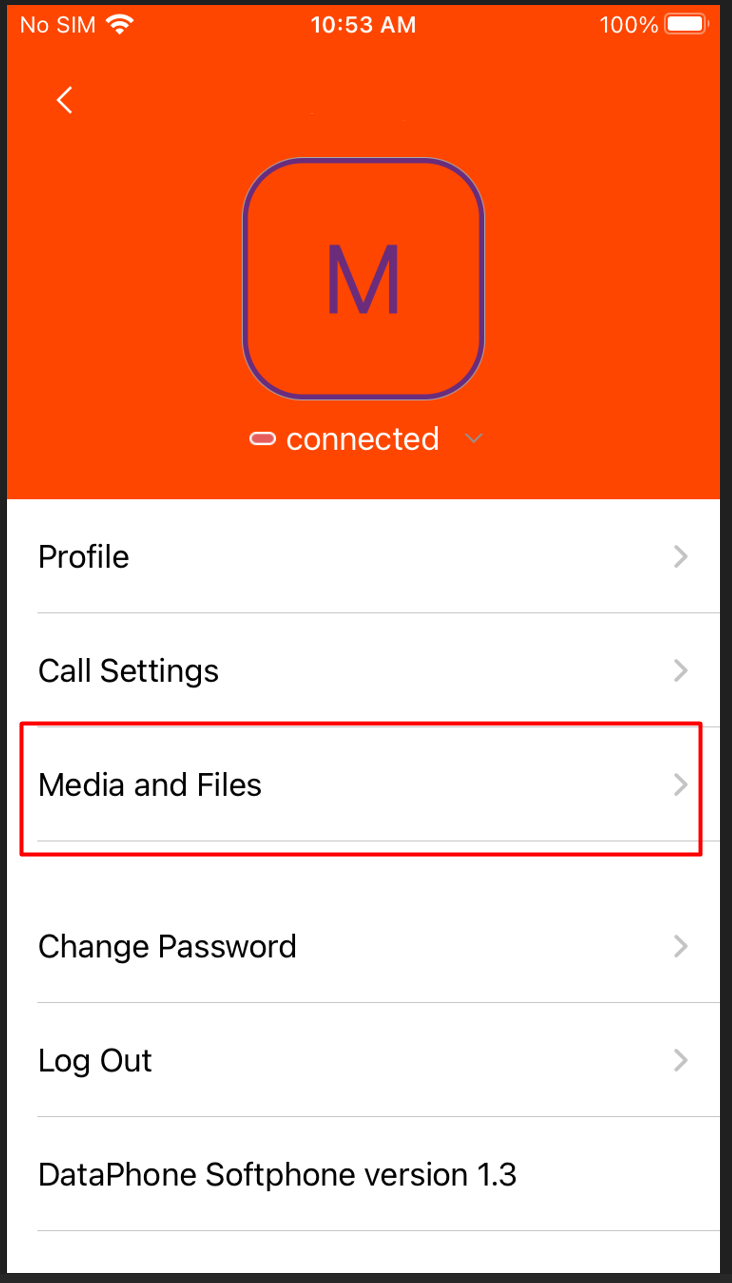
- Open the DataPhone app on your iPhone.
- Tap the menu icon (☰) in the top-left corner.
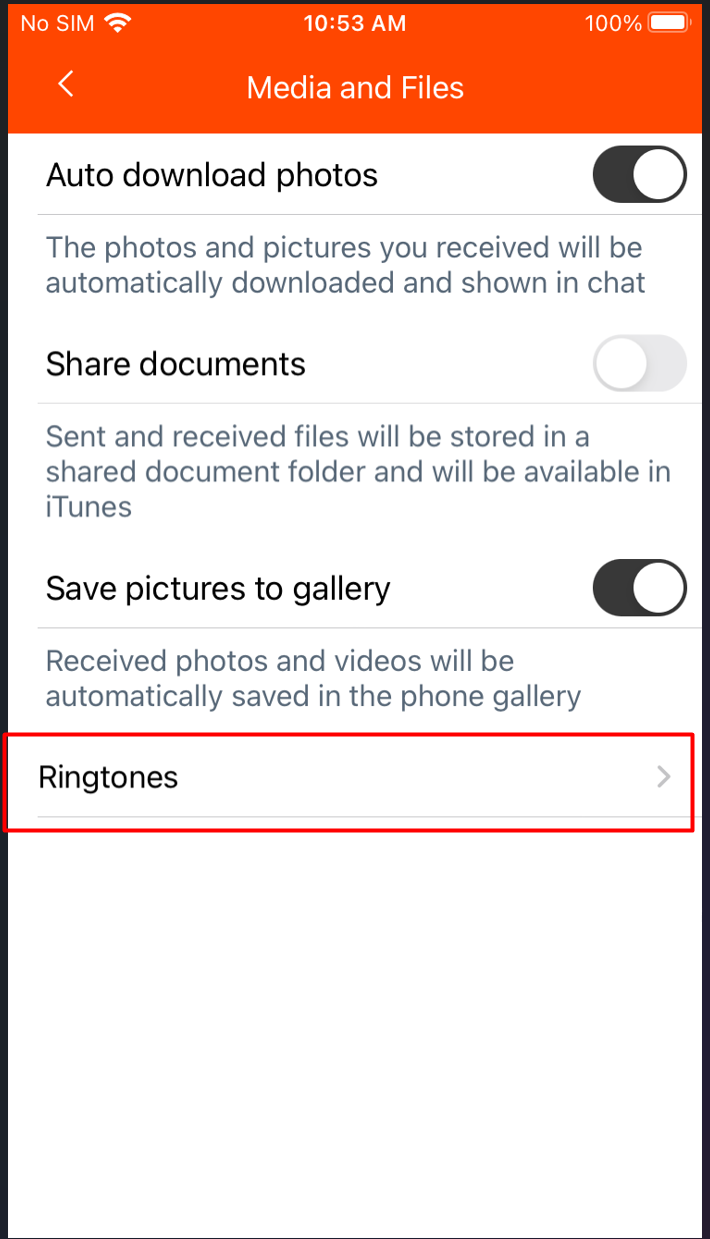
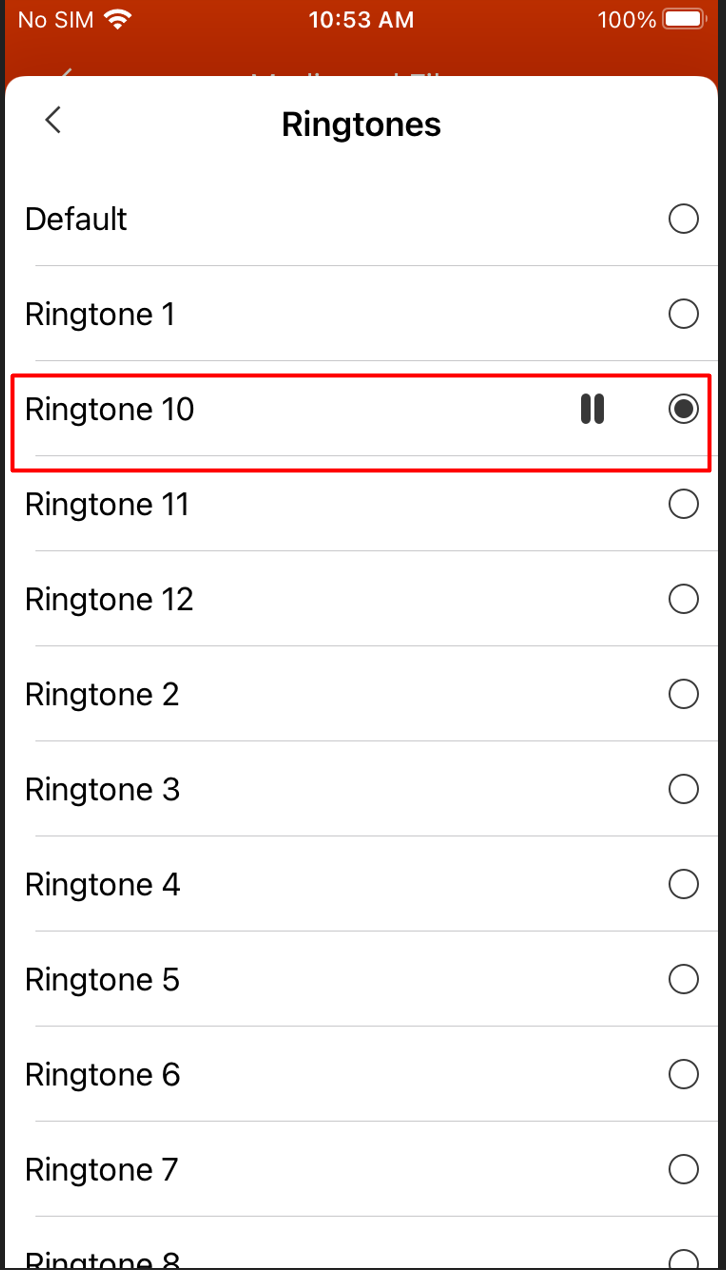
- Go to Media & Files → tap Ringtones.
- Tap a ringtone to preview and select (it auto-saves).
- Test with a call to confirm the new ringtone plays.
Tips and important notes #
- App sound follows iPhone’s system settings: check the Ring/Silent switch, volume, and Focus modes.
- Bluetooth devices may route sound externally, disconnect, or switch audio output if needed.
- Ensure Notifications and Background App Refresh are enabled for DataPhone.
- After an app update, restart the app if the ringtone options disappear.
Troubleshooting #
No ringtone plays
Verify iPhone isn’t in Silent / Focus mode and notification permissions are allowed (Settings > Notifications > DataPhone).
Need help? #
If you’re still having trouble, contact DataPhone Support with:
- Your iPhone model and iOS version
- DataPhone app version
- Description of the issue and steps you’ve already tried
Email: support@dataphone.cloud


