
 Doc Summary

The Dataphone SMS Platform allows you to send and receive text messages using your Dataphone business number.
1. Log In to the SMS Platform #
You can access the SMS Platform in either of the following ways:
You will need your email address and password to log in.
Example: test@email.com
Sign in with Google or Microsoft #
You can also sign in using SSO (Single Sign-On) with your Google or Microsoft account, if enabled for your organization.
2. Open SMS #
If you logged in through the Dataphone Portal:
- Click SMS.
- You will see the Dataphone phone number assigned to your account.
- Next to the phone number, click the + (plus) icon to start a new message.
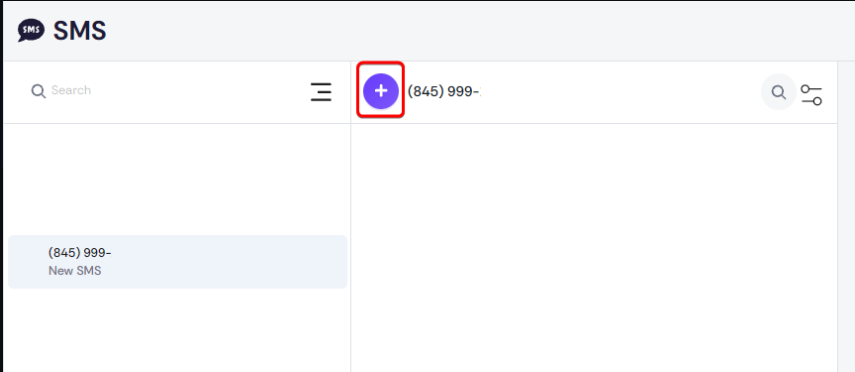
3. Start a New Chat #
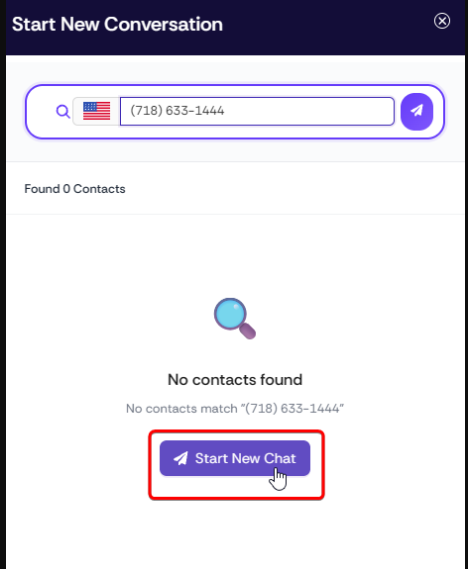
After clicking the + icon:
- Enter the phone number you want to send an SMS message to.
- Verify that the number is correct.
- Click Start New Chat.
You can then type your message and send it to the recipient.
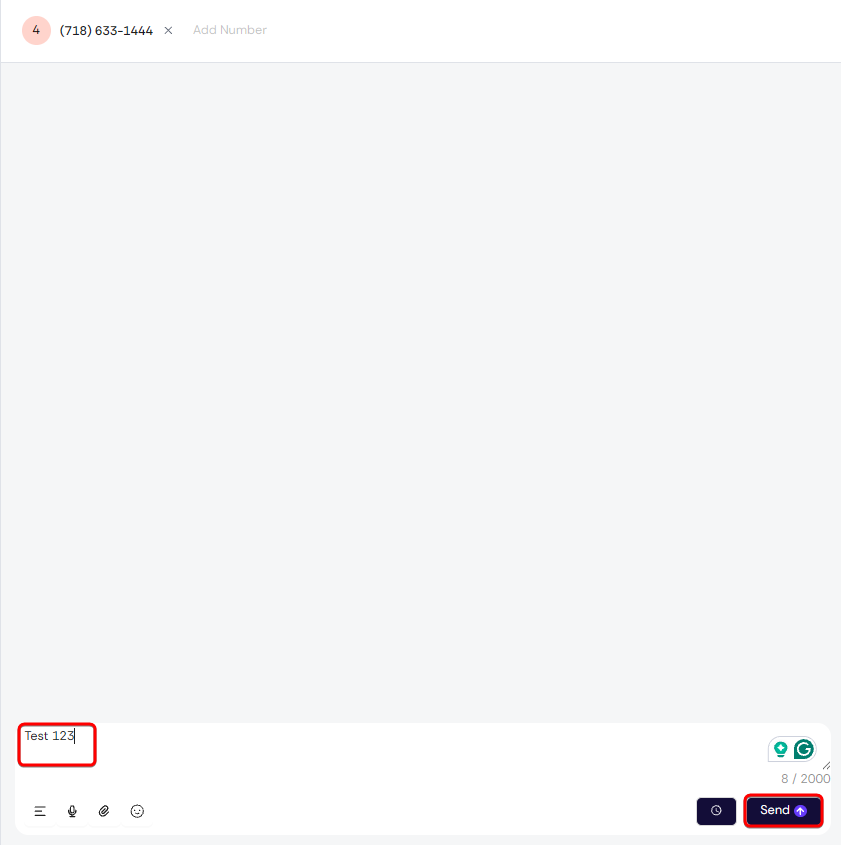
4. Type and Send Your Message #
A new chat window will open. You can now start typing your message in the chat box and click Send when you’re ready.
Quick Reference #
Log in → SMS → Select your number → + → Enter recipient’s number → Start New Chat → Type your message → Send
Tip: Always double-check the recipient’s phone number before sending a message, especially when sending messages containing important or sensitive information.


