
 Doc Summary

Overview #
Your Fax Caller ID is the phone number displayed to recipients when you send a fax. If you need to update this number, you can do so directly from your account settings.
Note: Changes take effect immediately after they are saved.
Steps to Change Your Fax Caller ID #
- Navigate to efax.dataphone.cloud
- Log in to your account with your email address and password.
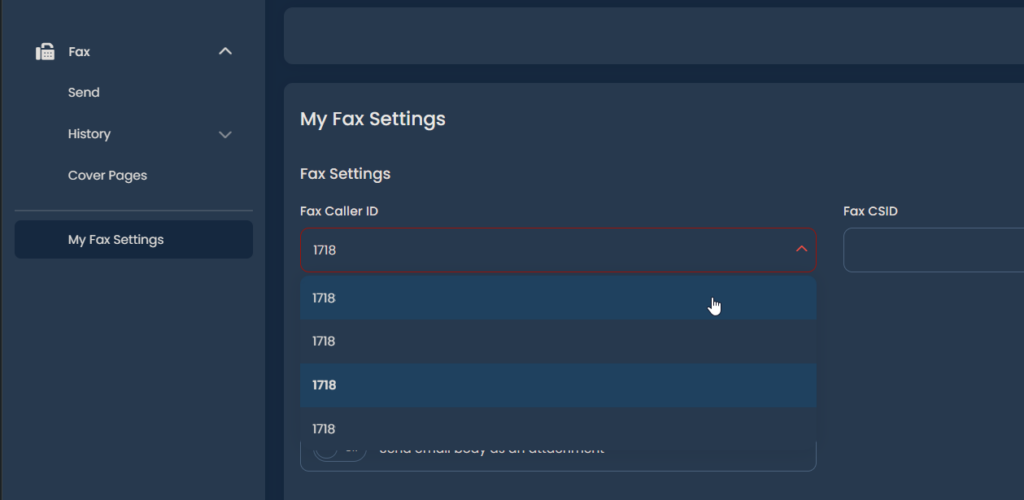
- Navigate to My Fax Settings.
- Locate the Fax Caller ID field.
- Select the phone number from the dropdown menu you want to use as your outgoing Fax Caller ID.
- Once you’ve selected it, it will auto-save.
⚠️Note #
If the Fax Caller ID you want to use is not available in the list, it must first be added to your account by DataPhone’s Technical Support. Please contact our support team and request that the desired Fax Caller ID be added to your account. After it has been added, you can return to My Fax Settings, select it from the list, and save your changes.


