
 Doc Summary

Adding Softphone Users #
Log in to your Dataphone admin panel at:
sportal.dataphone.cloud
Click the “+ Add user” button.
Use the Activated slider to toggle user activation on/off.
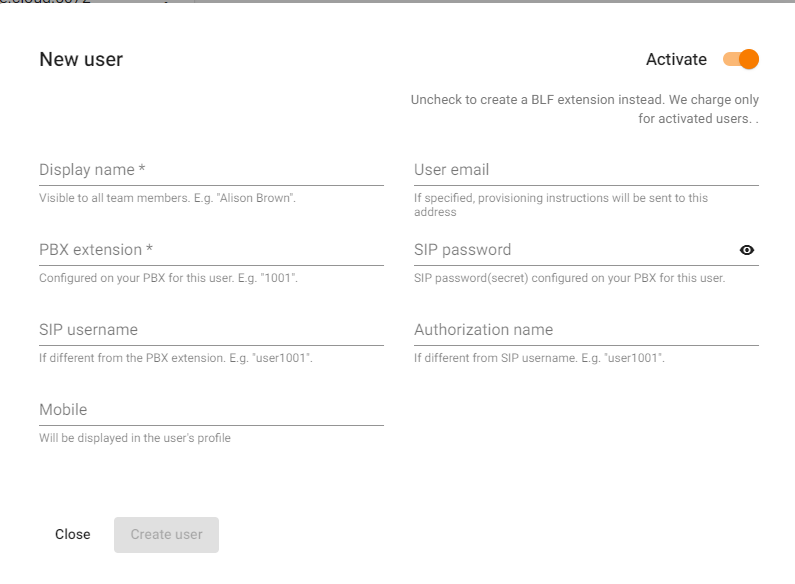
Fill in the following details:- Display Name
- PBX Extension
- SIP Username (if different from PBX extension)
- Authorization Name (if different from SIP username)
- SIP Password
Enter the user’s Email Address. A welcome email with provisioning instructions will be automatically sent.
Click “Save” to finalize adding the user.
Don’t forget: Please notify help@dataphone.cloud whenever you add or delete users.


