
 Doc Summary

Sending a fax via email allows you to fax documents directly from your email client without using a physical fax machine. This feature is available to users with an active eFax account and makes faxing fast, simple, and paperless.
⚠️ Important: This feature works only if the email is sent from an email address associated with an active eFax account in the Dataphone system.
✅ Prerequisites #
Before sending a fax, ensure the following:
- 📧 Your email address is linked to an active eFax account
- 🌎 You are sending the fax to a US or Canadian fax number only
- 📄 Your document is in a supported file format
📝 Step-by-Step: Send a Fax via Email #
1️⃣ Open your email client
(e.g., Microsoft Outlook, Gmail, etc.)
2️⃣ Create a new email message
3️⃣ From:
Enter your registered email address
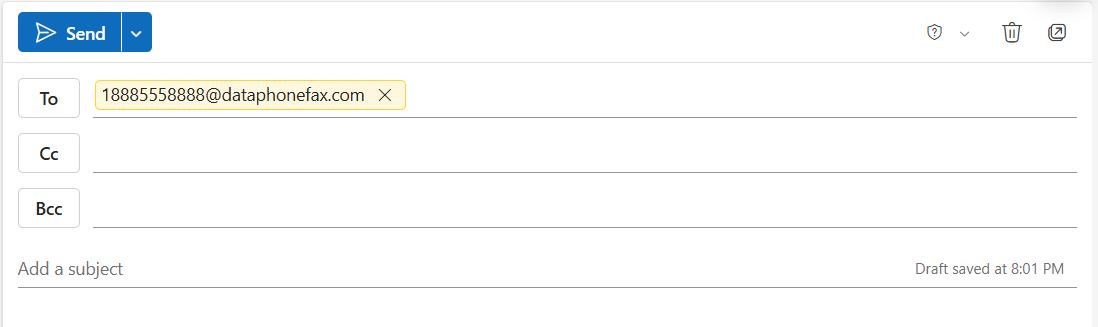
4️⃣ To:
Enter the destination fax number followed by:
👉 @dataphonefax.com
Example:
If the fax number is 888-555-8888, send the email to:
📩 18885558888@dataphonefax.com
ℹ️ The fax number must include the area code + phone number.
5️⃣ Attach the document(s) you want to fax
- You may attach multiple files
- Documents will be faxed in the order attached
6️⃣ Click Send ✉️
📬 What Happens Next? #
- Your email and attachments are converted into a fax format
- 📩 You will receive an email notification within 15 minutes confirming the fax transmission status (successful or failed)
📎 Supported Attachment Formats #
✔️ PDF Files
- Adobe Acrobat Documents (PDF)
✔️ Microsoft Office Files
- DOC, DOCX, XLS, XLSX, PPT, PPTX
✔️ OpenOffice Files
- ODP, ODS, ODT
✔️ Google Files
- GDOC, GSLIDES, GSPREADSHEET
✔️ Text Files
- TXT, RTF
✔️ Printer Files
- PCL, EPS, PS
✔️ Image Files
- TIFF, TIF, GIF, PNG, JPEG, JPG
✔️ Other Formats
- FXC, FODT, HTML
⚠️ Important Notes & Best Practices #
🔹 If you scan a document or use Print to File, always select Black & White mode for best fax quality and compatibility.
🔹 Ensure attachments are clear and properly oriented before sending.
🔹 Large or color-heavy documents may take longer to process.
📌 Need Help?
If you experience issues sending a fax or need assistance with your eFax account, please contact Dataphone Support.


