
 Doc Summary

Easily locate calls using only part of a phone number (for example, the last 4 digits).
This guide explains how to search using a partial phone number in the Reports section.
🔎 When to Use This Feature #
Use partial number search when:
- You only know the last few digits of a phone number
- You need to quickly locate a call record
Example:
If the full number is 7186331444, you can search using just 1444.
Step-by-Step Search Instructions #
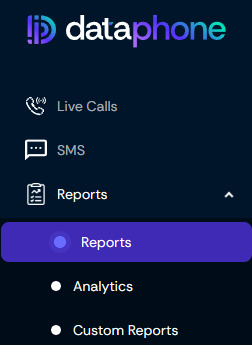
1️⃣ Navigate to the Reports Section #
Go to the Reports section on the Dataphone Portal.
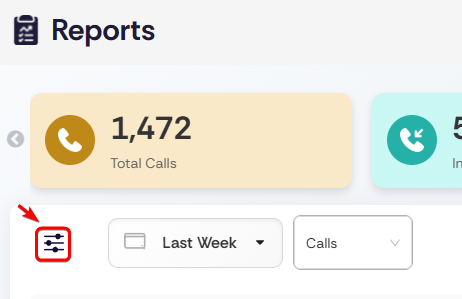
2️⃣ Click the Filter Icon #
Click on the Filter icon to open advanced search options.
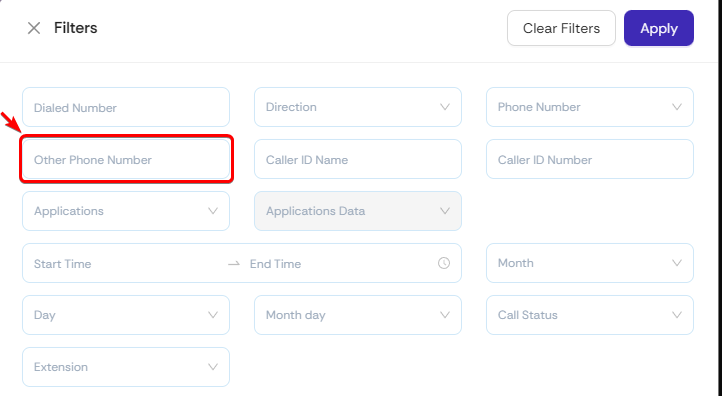
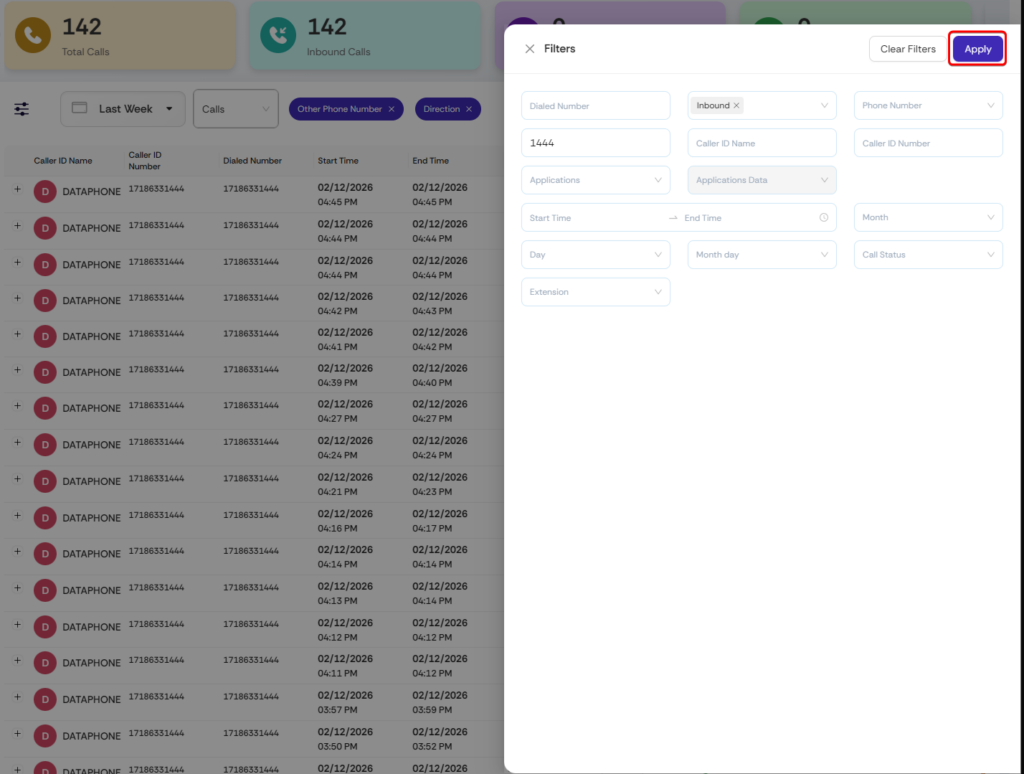
3️⃣ Select “Other Phone Number” Field #
In the filter search bar:
- Search for the field Other Phone Number
- Select it from the list
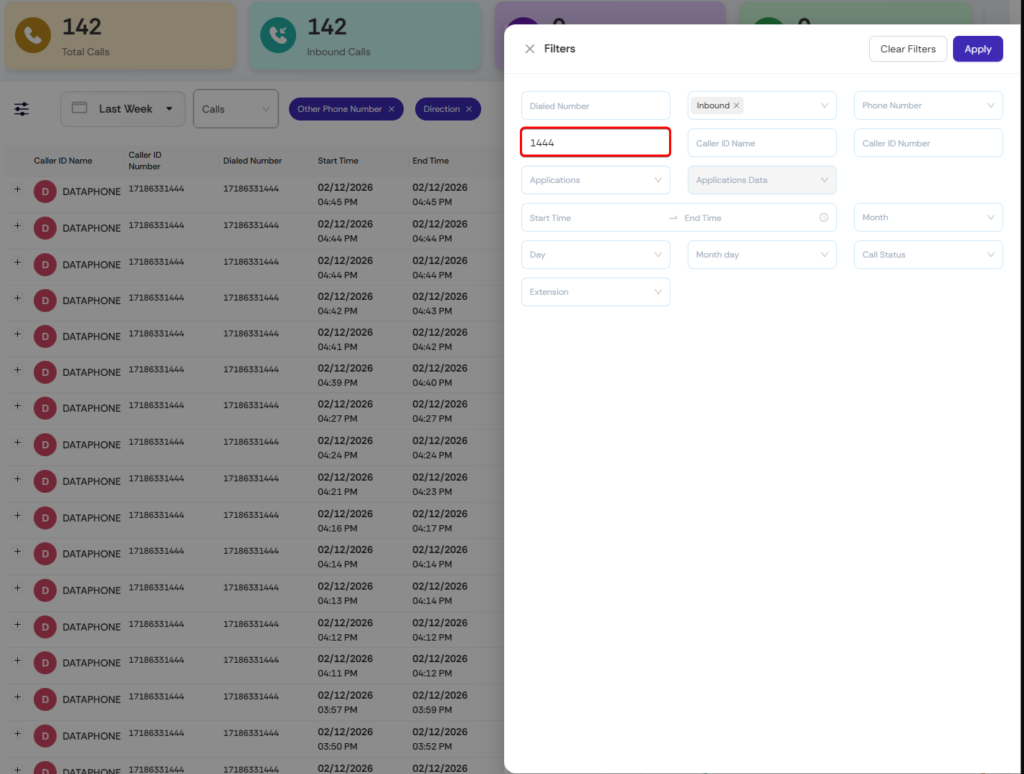
4️⃣ Enter the Partial Number #
Enter the last digits of the phone number.
Example:
- Full Number:
7186331444 - Partial Search:
1444
5️⃣ (Optional) Select Call Direction #
To narrow your results, you may select:
- Inbound
- Outbound
- Local

6️⃣ Click Apply #
Click Apply to run the search.
✅ Expected Results #
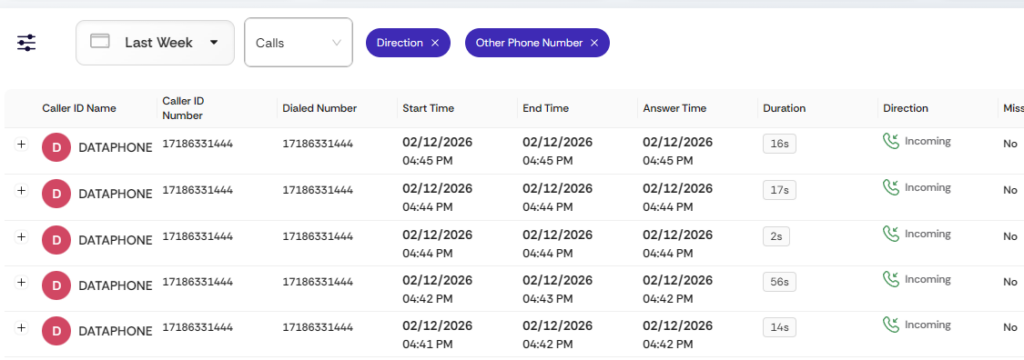
The system will display all call records where the phone number ends with the digits entered.
In this example, the results will show numbers ending in:
1444
💡 Best Practices #
- ✔️ Searching by the last 4 digits gives the fastest results
- ✔️ Use Direction filters when handling large call volumes
- ✔️ You do not need the full phone number


