
 Doc Summary

The DataPhone Select-to-Call Chrome Extension allows you to dial numbers directly from your browser using your assigned extension and DataPhone system. Here’s how to set it up in just a few quick steps:
🧩 What You’ll Need #
- ✅ Your DataPhone domain:
https://x.dataphone.cloud - ✅ Your API Key:
{enter_your_api} - ✅ Your extension number (e.g. 150)
- ✅ Download here 👉 Dataphone SelectToCall or Dataphone SelectToCall – Chrome Webstore
🛠️ How to Configure the Extension #
👉 Step 1: Right-click the DataPhone Chrome extension icon
👉 Step 2: Click on Options
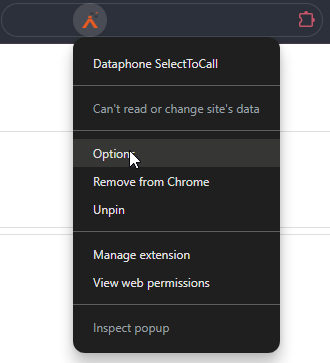
You’ll see fields to enter your credentials and connection info.
✏️ Fill Out the Fields as Follows: #
| Field | Value |
|---|---|
| DataPhone Domain | https:// |
| API Key | {enter_your_api} |
| Extension | Your assigned extension (e.g. 150) |
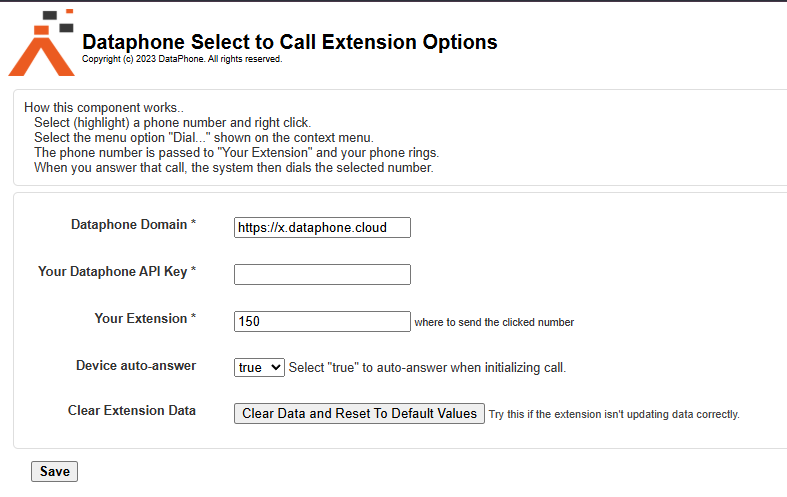
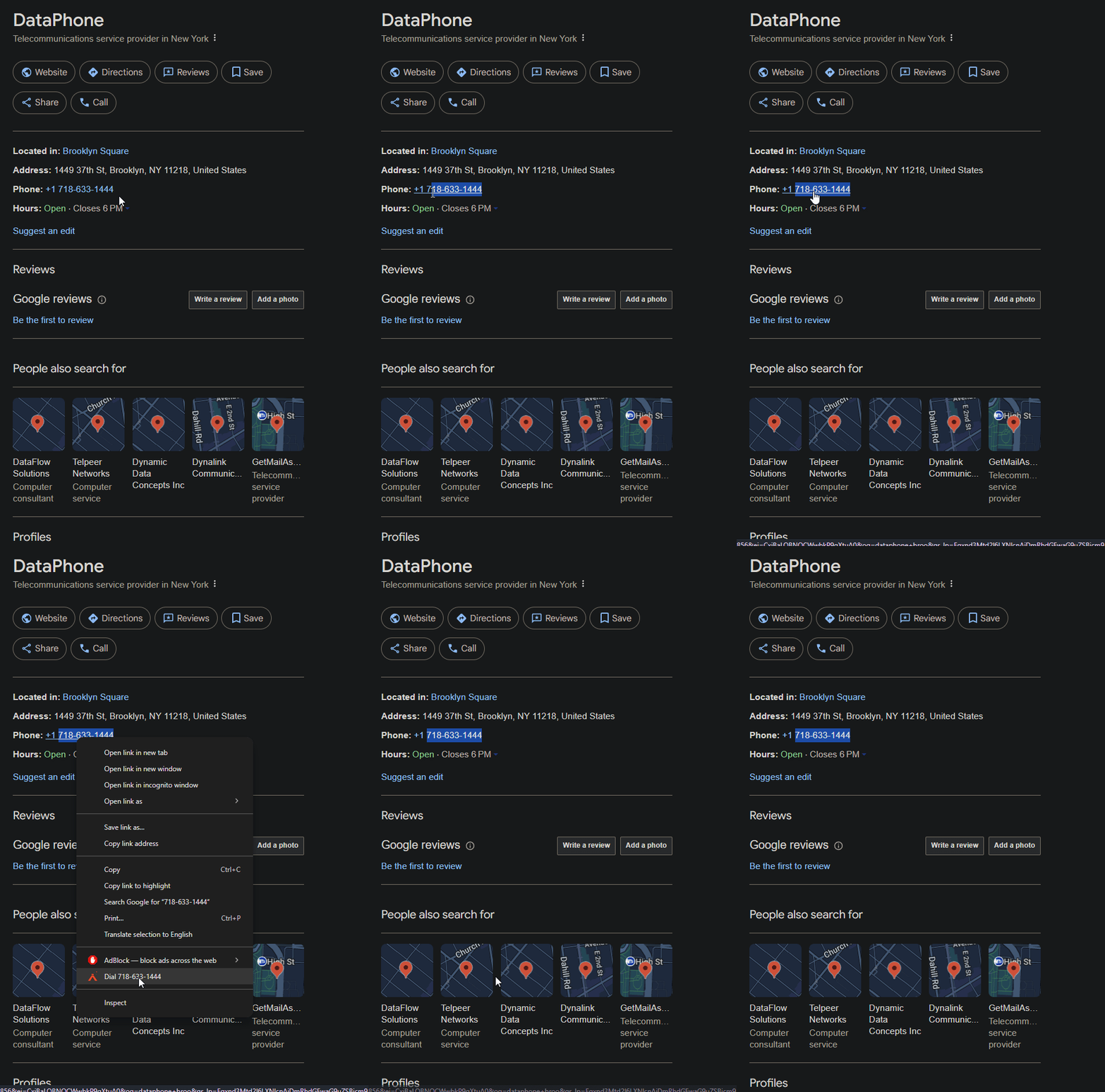
✅ Once all fields are filled in, click Save and the extension will be ready to use. Just highlight any phone number on a webpage and click the extension to initiate a call through your PBX.
📌 Notes #
- The extension must remain logged in to function properly.
- If you change your API key or extension, update it in the Options panel.
- This only works on Deskphones at the moment.
- If you’re having issues when calling, check if they are using the DataPhone Softphone app as a parallel registration with the same extension.


