
 Doc Summary

ℹ️Overview
This article explains how to import contacts from your mobile phone into the Dataphone Desktop Softphone Application using a CSV file.
📋Prerequisites
- A mobile phone with saved contacts
- Dataphone Desktop Softphone Application installed
- Internet access to convert contact files
🪜Steps
📤Export Contacts from Your Phone
- Open the phone’s Contacts / Phonebook application.
- Export your contacts in VCF (vCard) format.
- Save the VCF file to your computer.
🔄Convert VCF File to CSV
Dataphone Desktop Softphone supports contact import in CSV format.
- Convert the VCF file to CSV using an online conversion tool.
- You can use the following tool for conversion:
Link: https://www.aconvert.com/document/vcf-to-csv/ - Download the converted CSV file after completion.
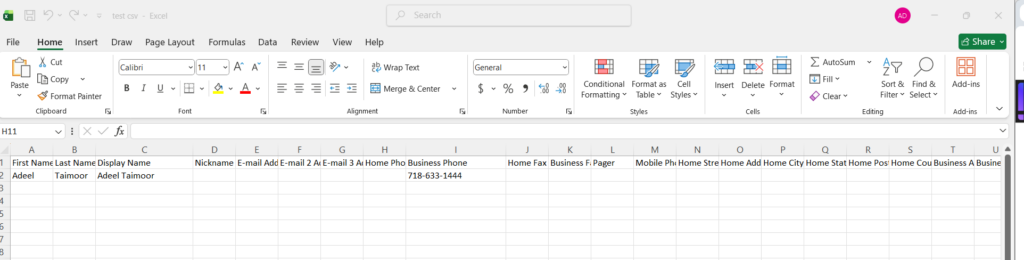
🔍Review the CSV File Format
Please find the sample CSV contacts file format accepted by the Dataphone Desktop Softphone Application.
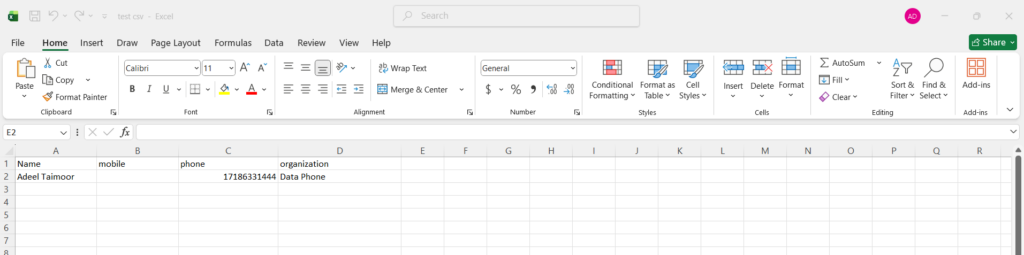
Update the CSV contacts file as per the above format and upload the file in the Dataphone Desktop Softphone Application.
📤 Import Contacts into Dataphone Desktop Softphone
Open the Dataphone Desktop Softphone Application.
Contacts > Eclipses 3 dots > Import

Select the file location
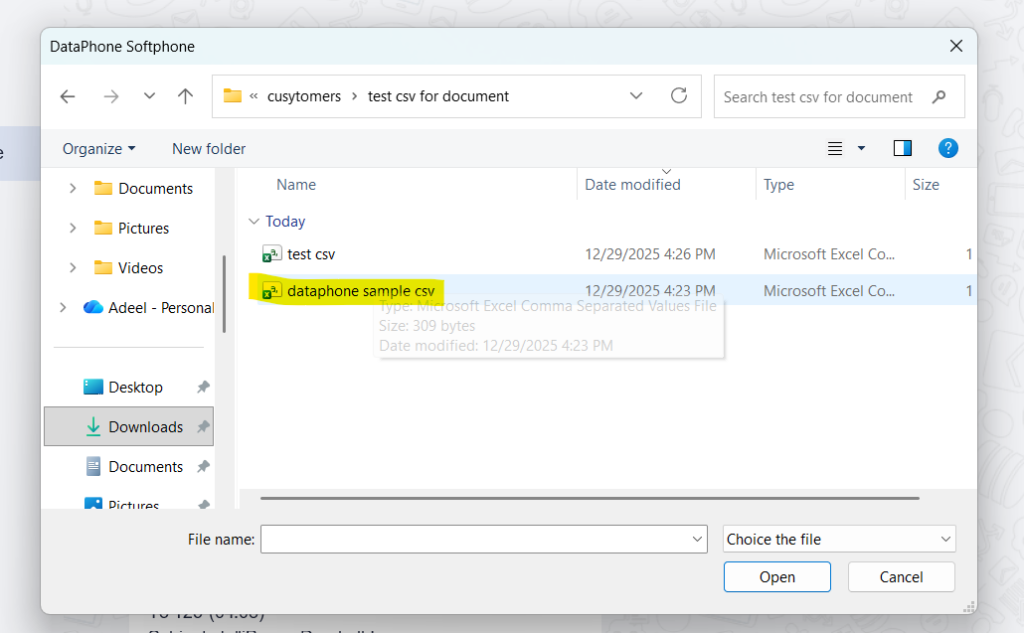
Click Confirm to start the import process.

,


