Doc Summary

ℹ️Overview
This article explains how to update the Dataphone application firmware version in the Dataphone Softphone application by using the “Update available” option.
Updating the firmware ensures improved performance, stability, and access to the latest features.
When to Update the App Firmware
You may need to update the app firmware if:
- You are prompted to upgrade the version
- The app is not functioning as expected
- New features or fixes are released
- Support requests an update
📋Prerequisites
- Dataphone Softphone application installed
- An active internet connection
- User access to the app settings
🪜Steps
Open Dataphone Softphone Application
Launch the Dataphone Softphone application on your device.
Navigate to Menu
Locate the option labeled “Update available”.
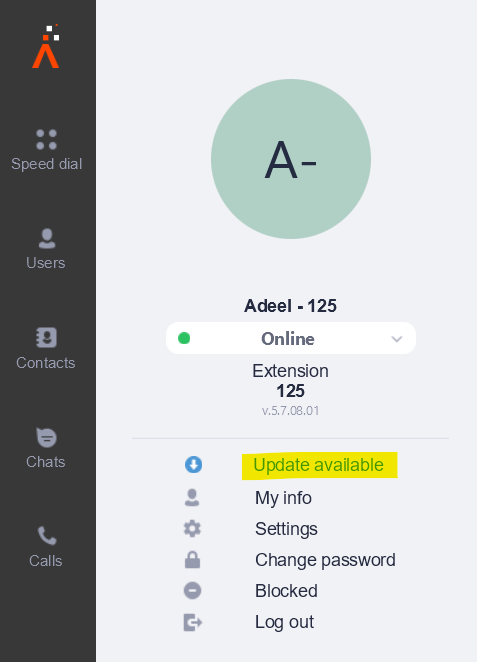
Update the App Firmware
Click on Update available.
The app will check for the latest available version.
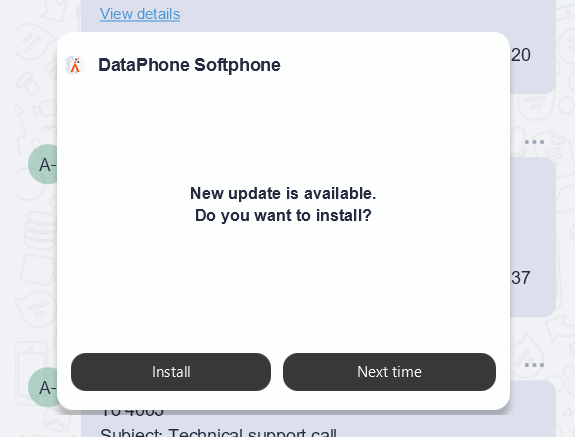
Click Install
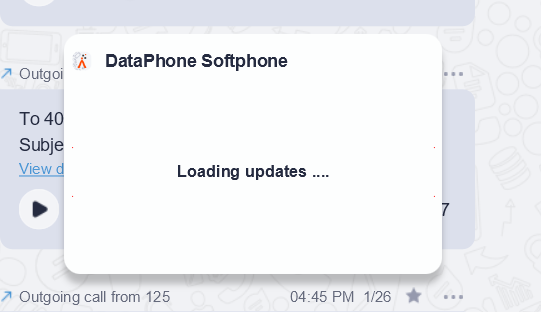
Follow the on-screen instructions to proceed with the upgrade.
Wait for the update process to complete.
✅Result
The Dataphone Softphone (Ringotel) app has been successfully updated to the latest firmware version and is ready to use.