
 Doc Summary

ℹ️Overview
.
This article explains how to reset the Dataphone Softphone password directly from the application using the Forgot Password option.
Resetting the Dataphone application ensures access to the Dataphone application in case of a password mismatch issue.
When to Reset the Password of the Dataphone Application
You may need to reset the app password if:
You are not able to log in to the application with the existing password.
📋Prerequisites
Dataphone Softphone application installed
An active internet connection
User access to the application login screen
🪜Steps
Launch the Dataphone Softphone application on your device.
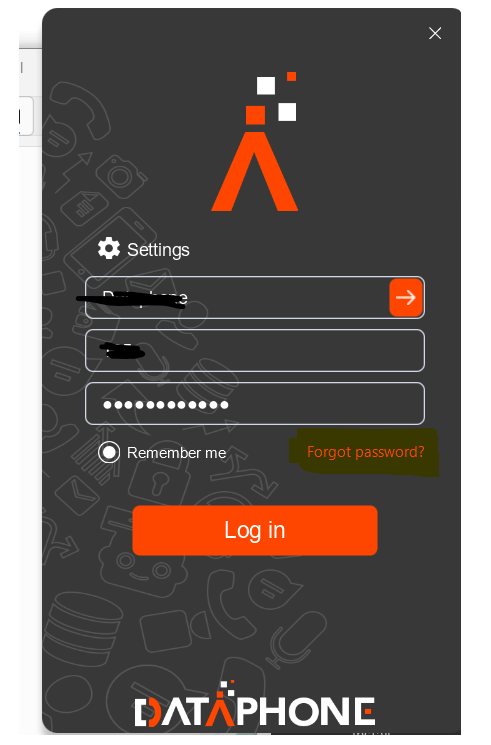
Click on Forgot Password on the main screen.
Enter the domain and Username of your account.
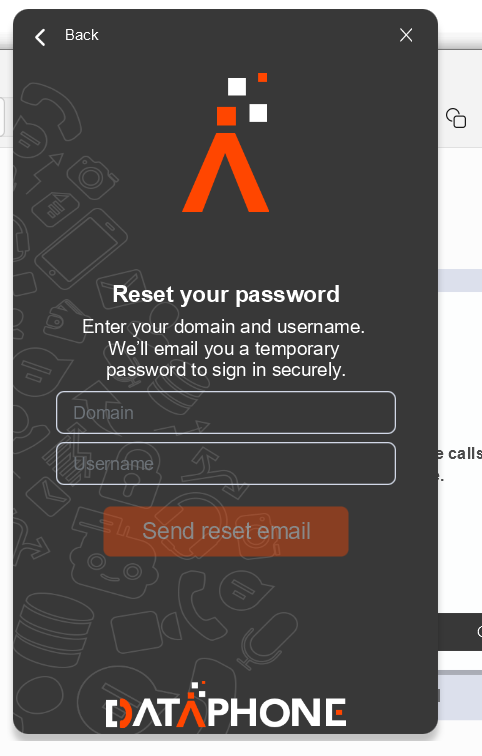
Click Send Reset Email
An email will be sent to your registered email account with the temporary password.
Follow the on-screen instructions to update the temporary password with your new password.
Verify by logging into the Dataphone softphone application.
✅Result
The Dataphone Softphone application password is successfully updated.


